Elevate your innovation workshops with powerful new customization and export features
We’re excited to announce the release of IdeaClouds v2.5, packed with features that give you more control over how you evaluate ideas and share results with your team. Here’s what’s new:
Create Your Own Evaluation Techniques
The most requested feature is here! You can now design custom evaluation techniques tailored to your specific needs.
What you can do:
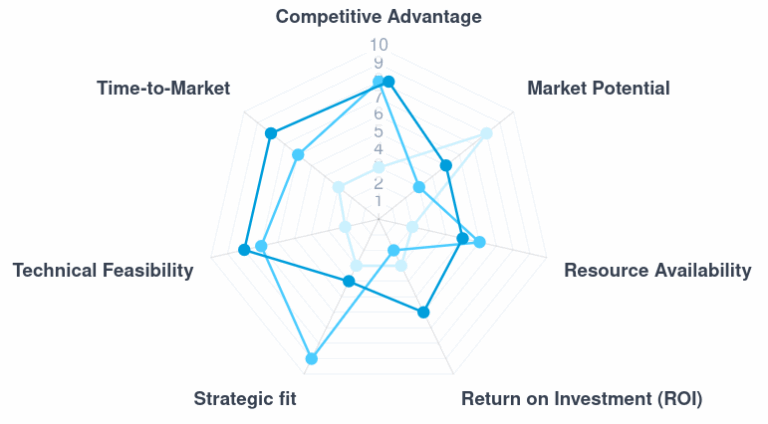
- Define your own evaluation criteria (e.g., “Market Potential”, “Technical Feasibility”, “Strategic Fit”)
- Set custom rating scales from 0-2 up to 0-100
- Add descriptive labels for each scale point
- Save and reuse your techniques across multiple workshops
Perfect for:
- Product teams evaluating features with specific business criteria
- Innovation managers with established evaluation frameworks
- Consultants who need consistent methodologies across clients
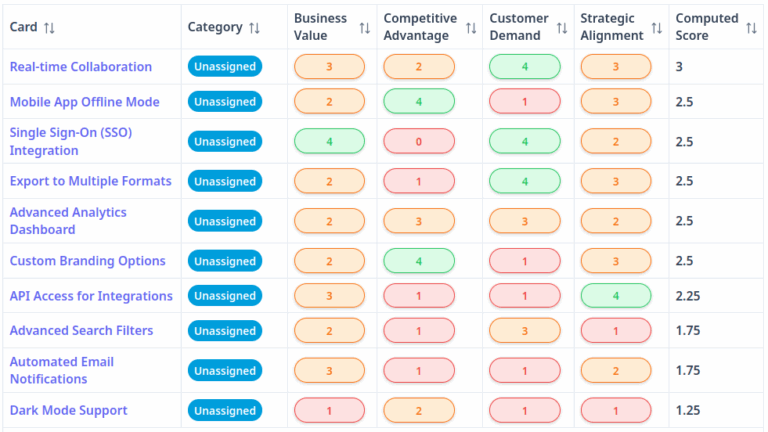
Your custom techniques appear alongside the built-in options when creating new sessions. Results are displayed in interactive radar charts (for 3+ criteria) or 2D bubble charts (for 2 criteria).
Navigate to Account Settings > My Techniques to get started.
Need help to get started? Check out our tutorial.
Export Result Page as PDF
Need to quickly share your current view on the result page? For example, when trying the different ranking techniques? The new “Page as PDF” button captures your current result page view – including charts – in a clean, print-ready format.
This complements the existing PowerPoint and Word export options, giving you flexibility in how you present and archive your innovation sessions.
Enhanced Chart Exports
We’ve included charts appear in your PowerPoint and Word exports:
- Charts included – Radar, bar and bubble charts are now optimized for file export and included into your PPTX and DOCX exports
- Optimized for readability – Only the top 10 rated ideas are shown, preventing cluttered charts
- Better sizing – Charts automatically scale to fit the available space without overflowing
- Improved legends – Cleaner labels with proper text handling
Your exported presentations now look polished and professional right out of the box.
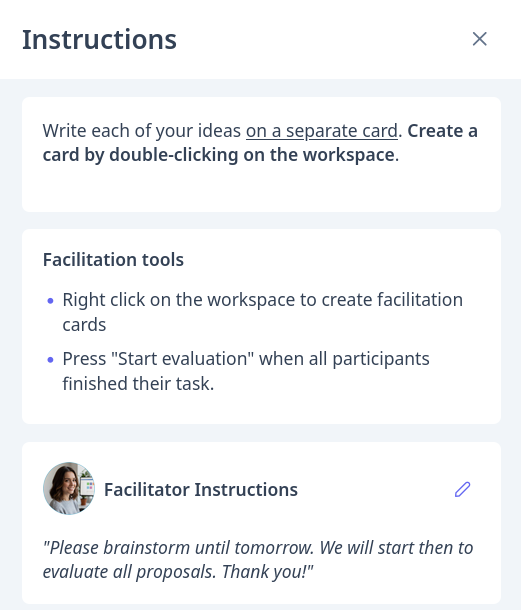
Facilitator Instructions Panel
Keep your facilitation notes right where you need them. The new Facilitator Instructions panel lets you:
- Add private instructions visible only to facilitators
- Update instructions in real-time during the session
- Remove instructions when no longer needed
- Send these instructions via email to all participants of private workshops
This is ideal for prepared workshops where you want guidance readily available without participants seeing your facilitation script.
Additional Improvements
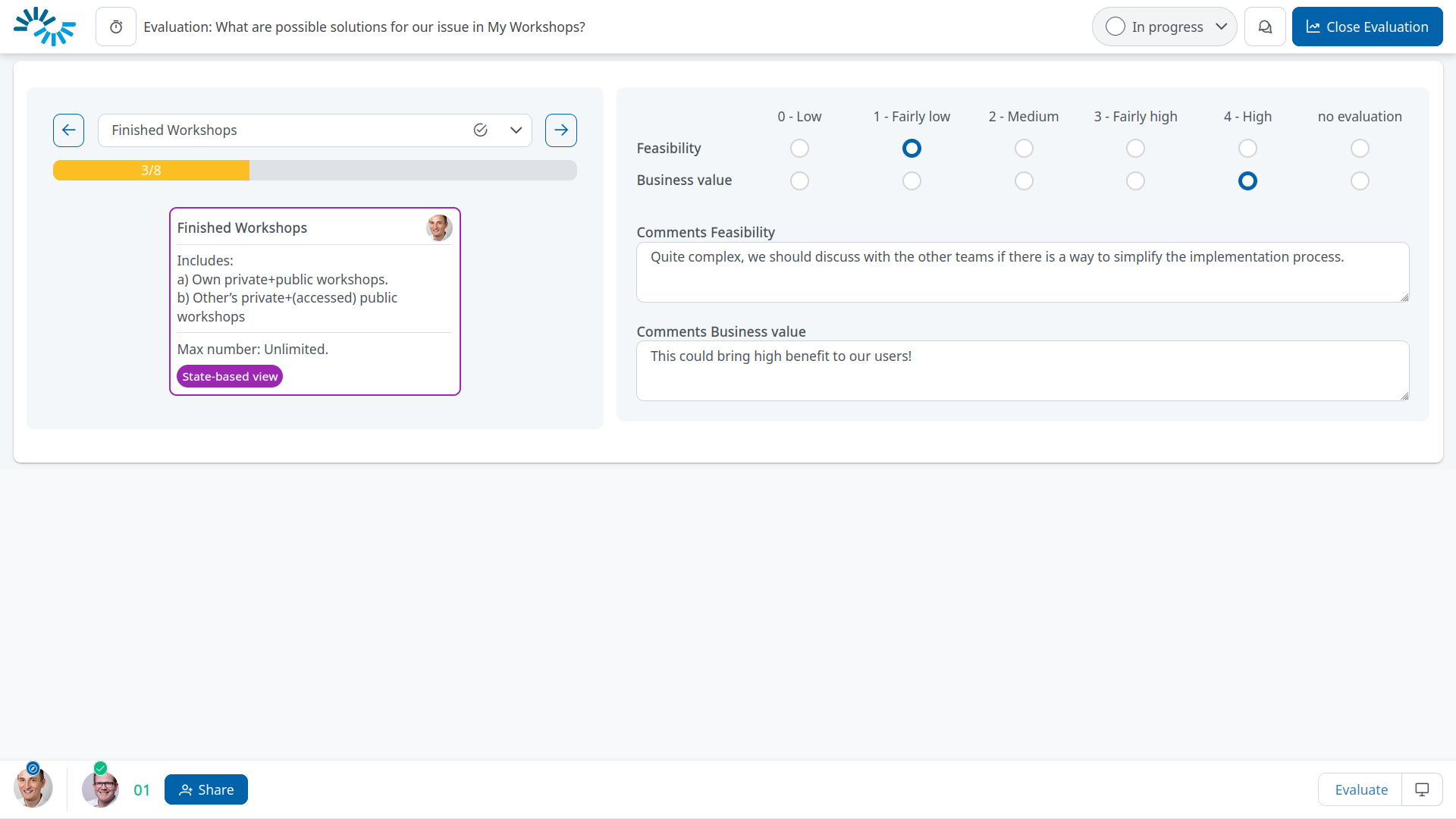
- Use arrow keys to quickly browse through cards during evaluation
- Sliders now display the current value for easier scoring
- Improved criterion descriptions with info icons
- Numerous performance improvements and bug fixes
- Enhanced connection stability for long sessions
Get Started
These features are available now for all IdeaClouds users. Custom Evaluation Techniques are included based on your subscription plan.
Questions or feedback? We’d love to hear from you – reach out or directly book a demo to see the new features in action!
Happy innovating!
The IdeaClouds Team